Lesson#1: Basic operations in Excel


OK friends. This is going to be my first lesson. The ABCD of Excel starts here. We will learn how to perform basic operations in Excel. How to add, subtract, multiply, and divide two numbers.
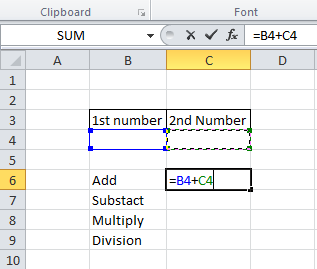
This picture now shows how to make an addition between two numbers. Select the first cell, then press ‘+,’ then select the second cell, then enter. very easy.
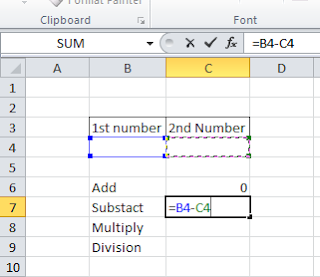
Now, next, This Second picture is of subtraction between two numbers. Select the first cell, then press ‘-,’ then select the second cell, then enter.
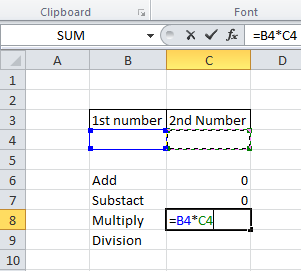
The third picture is of multiplication between two numbers. Select the first cell, then press ‘*,’ then select the second cell, then enter.
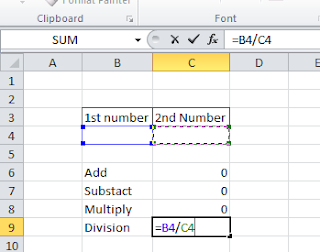
Now the fourth picture is of a division between two numbers. Select the first cell, then press ‘/,’ then select the second cell, then enter.
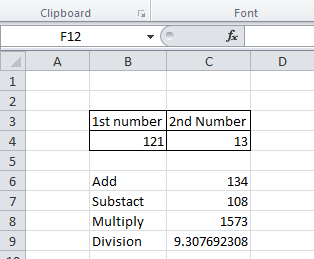
Now you enter any value in those two cells and get results like the above picture. I hope you have completed the first lesson about basic operations in Excel.
Related video tutorial:

Hi! I am Pushpendu. I am the founder and author of Excelabcd. I am little creative person, blogger and Excel-maniac guy. I hope you enjoy my blog.
0 Comments on “Lesson#1: Basic operations in Excel”