
↓ Skip to Main Content
Excelabcd

Main Navigation

  • Excel functions
    • Excel Functions
    • Exercise
      • COUNT Functions Exercise
      • SUM Functions Exercise
      • LOOKUP Functions Exercise
  • Excel Features
    • Protect Workbook
    • Hyperlink
    • Text to Columns
    • Freeze Panes
    • Conditional Formatting
    • Charts
    • PivotTable
    • Filter
    • Data Validation
    • Format Cells
  • Excel++
    • Shortcuts
    • 100+ formulas
    • Short Tips
    • Free Sample Excel Data
    • Excel Templates
      • Calculator Templates
      • Misc Templates
  • VBA
    • What is VBA?
    • Learn VBA step by step
    • Posts related VBA
  • Blog
  • Buy Resources
    • Buy Ebook
    • Buy Premium Templates
  • Excel Courses
    • Basic Excel Course
Excelabcd

Off Canvas Menu

  • Excel functions
    • Excel Functions
    • Exercise
      • COUNT Functions Exercise
      • SUM Functions Exercise
      • LOOKUP Functions Exercise
  • Excel Features
    • Protect Workbook
    • Hyperlink
    • Text to Columns
    • Freeze Panes
    • Conditional Formatting
    • Charts
    • PivotTable
    • Filter
    • Data Validation
    • Format Cells
  • Excel++
    • Shortcuts
    • 100+ formulas
    • Short Tips
    • Free Sample Excel Data
    • Excel Templates
      • Calculator Templates
      • Misc Templates
  • VBA
    • What is VBA?
    • Learn VBA step by step
    • Posts related VBA
  • Blog
  • Buy Resources
    • Buy Ebook
    • Buy Premium Templates
  • Excel Courses
    • Basic Excel Course

Tag: LEFT

Lesson#251: LEFT Function with FIND: Extracting Data Like a Pro
Excel Funtions

Lesson#251: LEFT Function with FIND: Extracting Data Like a Pro

Pushpendu Roy Karmakar Oct 15, 2023 Tagged with FIND, LEFT, RIGHT

In the world of Excel functions, when it comes to extracting specific data from text, the LEFT and FIND functions are a dynamic duo. By combining these two powerful functions, you can precisely pinpoint and extract data from your text …

Lesson#251: LEFT Function with FIND: Extracting Data Like a Pro Read more →

Lesson#241: Excel LEN Function: Mastering Character Counting
Excel Funtions

Lesson#241: Excel LEN Function: Mastering Character Counting

Pushpendu Roy Karmakar Sep 30, 2023 Tagged with LEFT, LEN, MID, SUBSTITUTE

In the world of Excel, understanding the LEN function is like having a magnifying glass for your text data. It allows you to count the number of characters in a cell, making it a fundamental tool for tasks like validating …

Lesson#241: Excel LEN Function: Mastering Character Counting Read more →

Lesson#235:LEFT, RIGHT, and MID Functions: Text Manipulation Demystified
Excel Funtions

Lesson#235:LEFT, RIGHT, and MID Functions: Text Manipulation Demystified

Pushpendu Roy Karmakar Sep 28, 2023 Tagged with LEFT, MID, RIGHT

In the world of Excel, when it comes to extracting and manipulating text within cells, the LEFT, RIGHT, and MID functions are your go-to tools. These powerful text manipulation functions allow you to extract specific portions of text from a …

Lesson#235:LEFT, RIGHT, and MID Functions: Text Manipulation Demystified Read more →
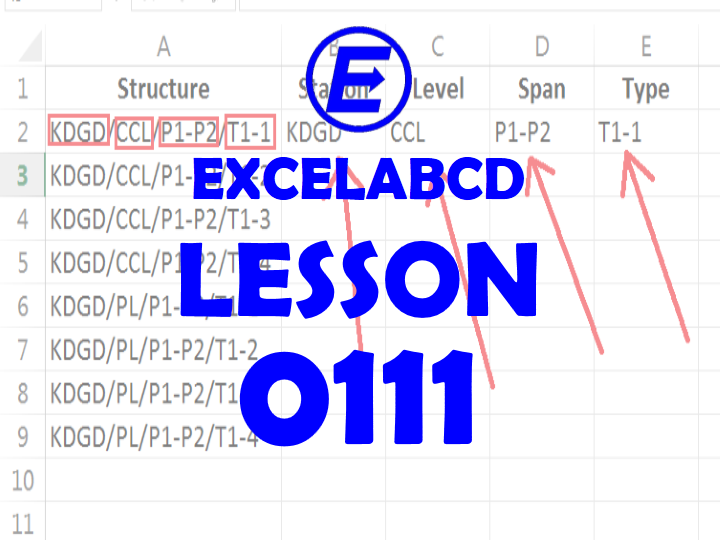
Lesson#111: Extract parts of text separated by a special character
Excel Funtions, Excel Tricks

Lesson#111: Extract parts of text separated by a special character

Pushpendu Roy Karmakar Sep 26, 2018 Tagged with FIND, LEFT, LEN, MID, RIGHT, SUBSTITUTE

Here I will show you how to extract parts of text separated by a special character. In the above image, I am having some structure id. Each text has four parts separated by “/”. Each part has a different meaning. …

Lesson#111: Extract parts of text separated by a special character Read more →
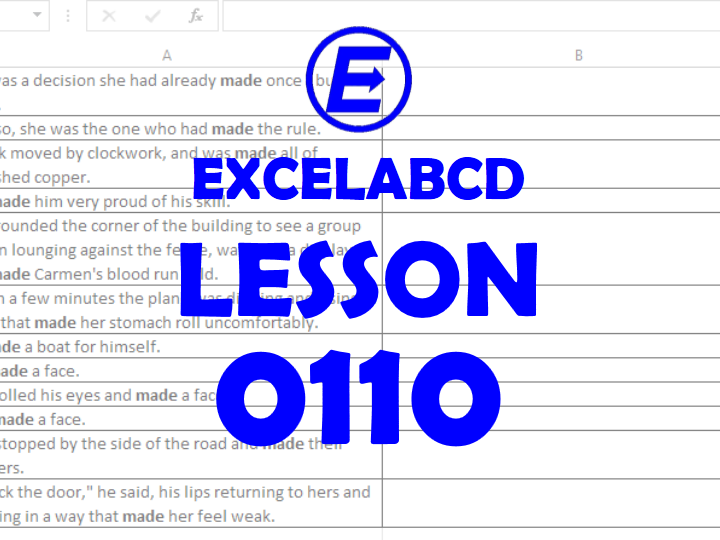
Lesson#110: Separate characters from the text where any word appears
Excel Funtions, Excel Tricks

Lesson#110: Separate characters from the text where any word appears

Pushpendu Roy Karmakar Sep 23, 2018 Tagged with FIND, LEFT, MID, SUBSTITUTE, TRIM

Here I will show how to separate characters from the text where any text appears. Here in the above picture, I am having some text values which contain the word “made”. I will show you how to part out text …

Lesson#110: Separate characters from the text where any word appears Read more →

Short Tips#0049: Formula to separate first name and last name
Excel short tips

Short Tips#0049: Formula to separate first name and last name

Pushpendu Roy Karmakar Sep 2, 2018 Tagged with FIND, LEFT, LEN, RIGHT

Lesson#99: Formula to separate words from a full name
Excel Funtions, Excel Tricks

Lesson#99: Formula to separate words from a full name

Pushpendu Roy Karmakar Aug 20, 2018 Tagged with FIND, IFERROR, LEFT, LEN, MID, RIGHT

OK. I am back again with some crazy formula. Here in this post, I will show you how to make a formula to separate words from a full name. Here in this above picture, I have a list of names …

Lesson#99: Formula to separate words from a full name Read more →

Short Tips#0012: LEFT function
Excel short tips

Short Tips#0012: LEFT function

Pushpendu Roy Karmakar Jul 23, 2018 Tagged with LEFT

Short Tips#0004: How to extract characters from a text
Excel short tips

Short Tips#0004: How to extract characters from a text

Pushpendu Roy Karmakar Jul 21, 2018 Tagged with LEFT, MID, RIGHT

Lesson#21: Extracting data with LEFT, RIGHT and MID function
Excel Funtions

Lesson#21: Extracting data with LEFT, RIGHT and MID function

Pushpendu Roy Karmakar Dec 21, 2017 Tagged with LEFT, MID, RIGHT

Three functions LEFT, RIGHT, and MID is very useful for extracting characters from a text string. In this post, we will discuss these three functions.LEFT is a function that returns the specified number of characters from the start of a …

Lesson#21: Extracting data with LEFT, RIGHT and MID function Read more →

Microsoft365 for Business

AND CALCULATOR CHART CONDITIONAL FORMATTING COUNT COUNTBLANK COUNTIF COUNTIFS DATA VALIDATION DATE DAY FILTER FIND FORMAT CELLS HOUR IF IFERROR INDEX LEFT LEN MATCH MAX MID MIN MINUTE MOD MONTH NOT NOW PIVOTTABLE PROTECT SHEET recover RIGHT ROUND SECOND SHORTCUTS SUBSTITUTE SUM SUMIF SUMIFS TEXT TEXT TO COLUMNS TODAY VLOOKUP YEAR

Microsoft365 for Business

AND CALCULATOR CHART CONDITIONAL FORMATTING COUNT COUNTBLANK COUNTIF COUNTIFS DATA VALIDATION DATE DAY FILTER FIND FORMAT CELLS HOUR IF IFERROR INDEX LEFT LEN MATCH MAX MID MIN MINUTE MOD MONTH NOT NOW PIVOTTABLE PROTECT SHEET recover RIGHT ROUND SECOND SHORTCUTS SUBSTITUTE SUM SUMIF SUMIFS TEXT TEXT TO COLUMNS TODAY VLOOKUP YEAR

Footer Menu

  • Home
  • About
  • Contact
  • Privacy Policy

Footer Menu

  • Home
  • About
  • Contact
  • Privacy Policy
Copyright © 2026 Excelabcd | Powered by Responsive Theme
Loading…